Shader study 1
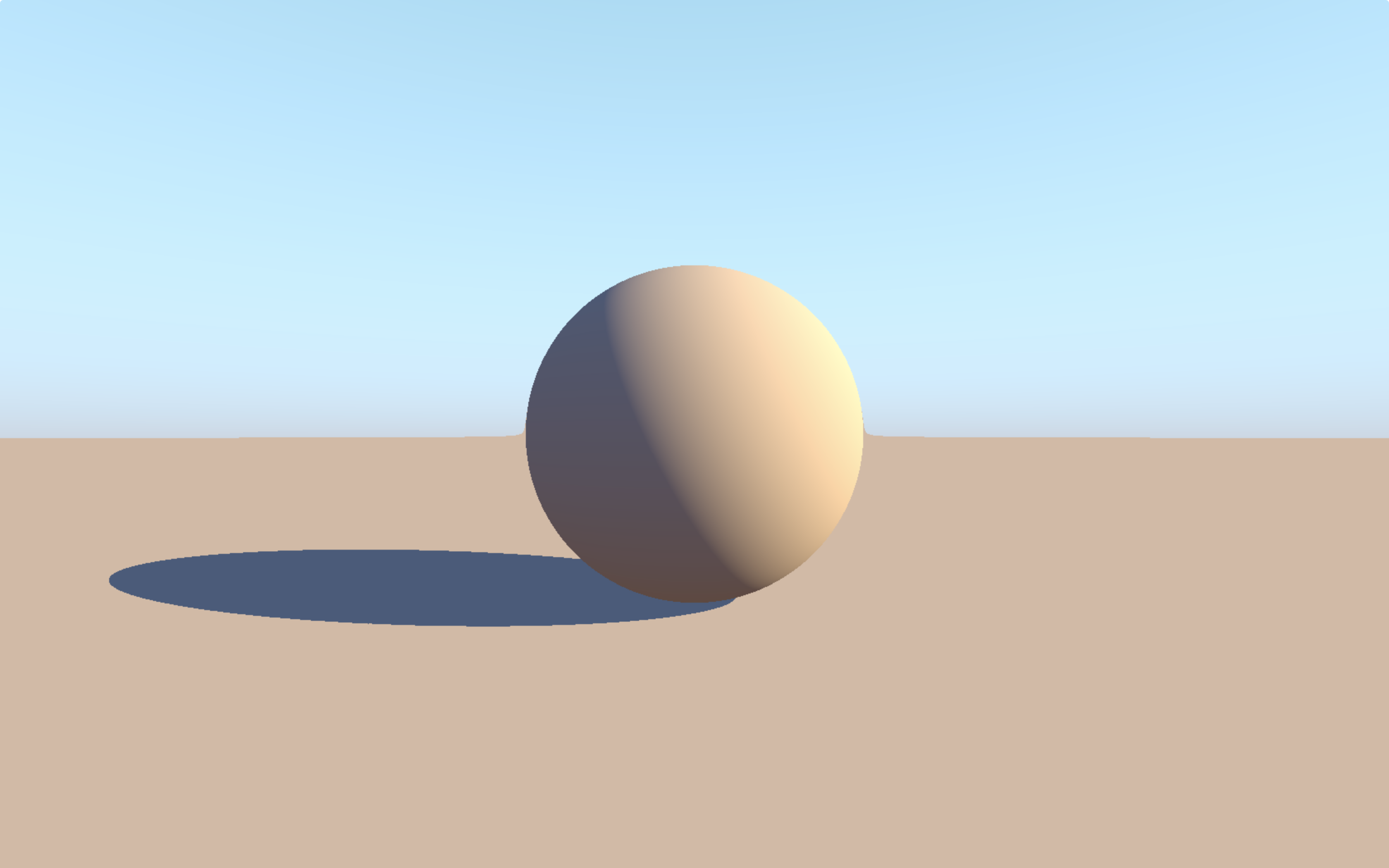
Found two very helpful Youtubers, The Art of Code and Inigo Quilez, who are very generous to provided useful tutorials for shader writing. I really appreciate that.
Watched some of their videos and Ray Marching caught my eyes. It is a different way than the traditional ray casting approach to calculate the distance of the objects. I found it very interesting and did some simple practice.
I’m still in the exploration of this approach new to me. Then I deciced to follow the 5-hour live coding tutorial Happy Jumping. For the first step, a simple sphere with sun light, sky light and shadow, but a lot learned.
Normal calculation: ref1
2
3
4
5
6vec3 getNormal(in vec3 p) {
vec2 e = vec2(EPS, 0);
return normalize(vec3(map(p + e.xyy) - map(p - e.xyy),
map(p + e.yxy) - map(p - e.yxy),
map(p + e.yyx) - map(p - e.yyx)));
}
In here a trick, when a ray doesn’t reach any surface, set it to negative if (t > 20.0) t = -1.;
1 | float castRay(in vec3 ro, in vec3 rd) { |
In here when we write the lower sky where it gets a little gray. First, col is getting darker when rd.y is increasing. exps returns the natural exponentiation. genType mix(genType x, genType y, genType a); mix performs a linear interpolation between x and y using a to weight between them. The return value is computed as x*(1−a)+y*a.
1 | vec3 col = vec3(.65, 1., 1.2) - .5 * rd.y; |
In here the sun shadow. step generates a step function by comparing x to edge. For element i of the return value, 0.0 is returned if x[i] < edge[i], and 1.0 is returned otherwise.1
float sun_sha = step(castRay(p + EPS * n, sun_dir), 0.); // in shadow ? 0 : 1
Gamma correction, or often simply gamma, is a nonlinear operation used to encode and decode luminance or tristimulus values in video or still image systems. In my understanding, Gamma correction usually gets rid of the ‘over-shadowed’ color and makes the lighting looks more natural. It is necessary for many simulated scene.1
col = pow(col, vec3(0.4545)); // gamma correction